 Gustav
In my last post I trained a CycleGAN to make a real-time Blender viewport look photoreal, frame by frame. That works for video, but the result is still a flat video. You cannot walk around it.
Gaussian splatting solves that. Instead of polygons and textures, a scene becomes a cloud of soft, coloured blobs that a training process fits to a set of images from every angle. The result renders in real time, even in a browser, and it captures the kind of fine, fuzzy detail like hair and fur that polygons struggle with.
Splats are normally made from photos. I made mine from an AI-generated 3D model, and added a realism pass in between.
The short version
- 3D modelAI-generated with Tripo, around a million vertices, no clean topology or UV layout
- Training views300 renders from Blender: 200 spread evenly around a sphere plus 100 close-ups of the head
- Realism passA CycleGAN fine-tuned on 16 AI reference images, run over every view
- Splat trainingBrush, an open-source trainer, on a GeForce GTX 1070 from 2016
- Result673,000 splats after 22,500 steps, pruned to 450,000 and 14.4 MB for the web
Step 1: 300 views with exact cameras
A splat is only as good as the images it learns from. With photos, the trainer first has to work out where every camera was standing, and that guess is where many splats go wrong.
With a 3D model there is nothing to guess. I placed an animated camera in Blender that visits 200 positions spread evenly over a sphere around the model, including straight above and straight below, plus 100 closer positions around the head where the detail matters most. Each view was rendered at 1920 by 1920 pixels in EEVEE with a transparent background, and the exact position and lens of every camera was written to the formats splat trainers read.
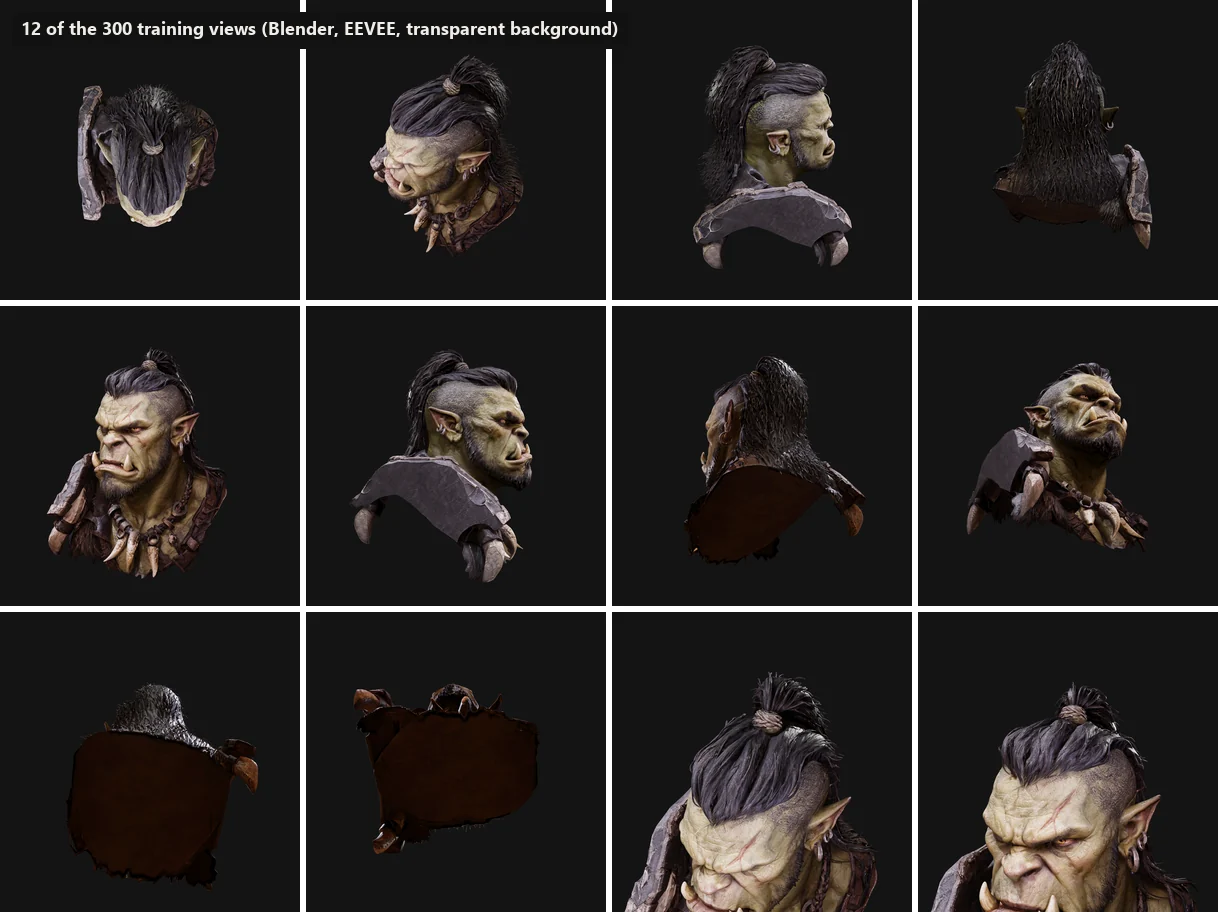
Before training anything, I projected the mesh through the exported cameras onto the renders. Over 99 percent of the points landed on the orc in every view I checked. Rendering all 300 views took under half an hour.
Step 2: a realism pass with a CycleGAN
The 3D model is decent but it looks like what it is. To push it further I reused the CycleGAN from the previous project and fine-tuned it on 16 realistic images of the same character, generated with Gemini and Grok and partly upscaled with Krea.
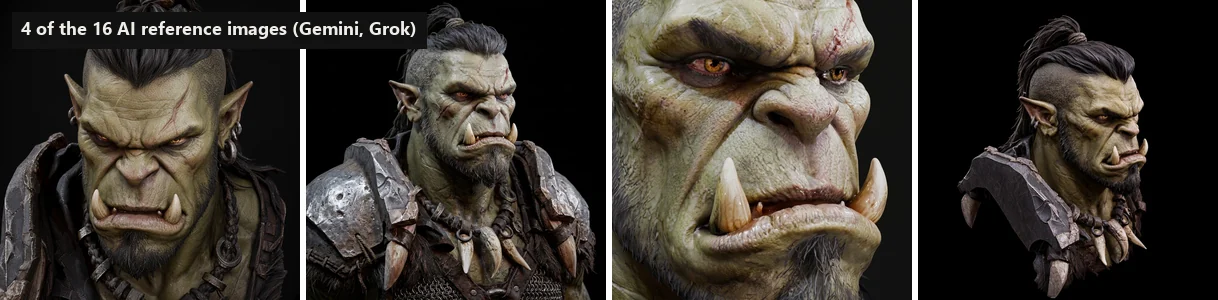
Sixteen images is very little, so the training leans hard on augmentation: random crops that are zoomed between half and double size and rotated up to 30 degrees. The references mostly show the face large, while the all-round renders show it small, and the zoom range lets the network match textures at the same scale. After 15,000 steps, about 45 minutes, I ran every one of the 300 views through it. Each view kept its exact camera and its original outline.
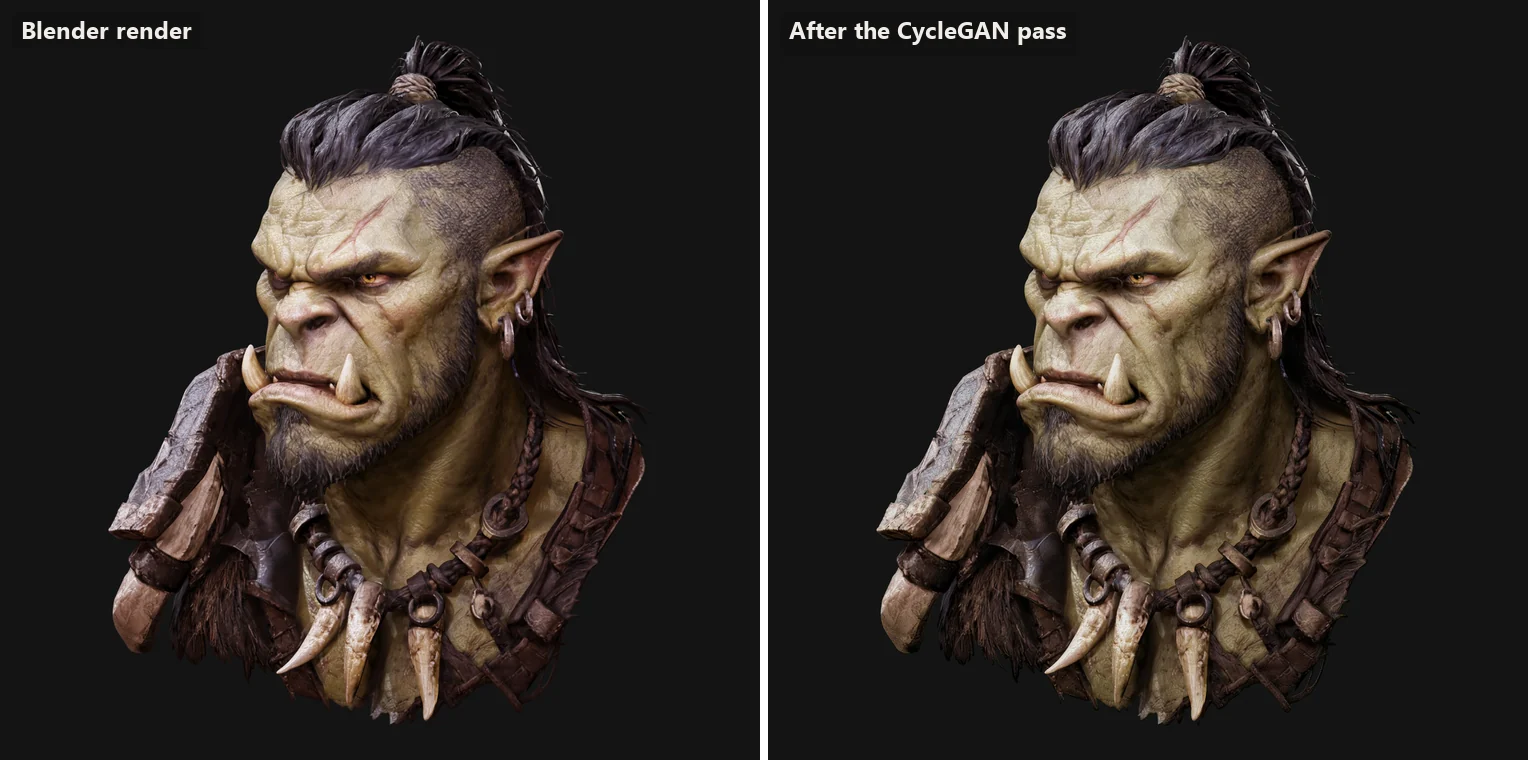
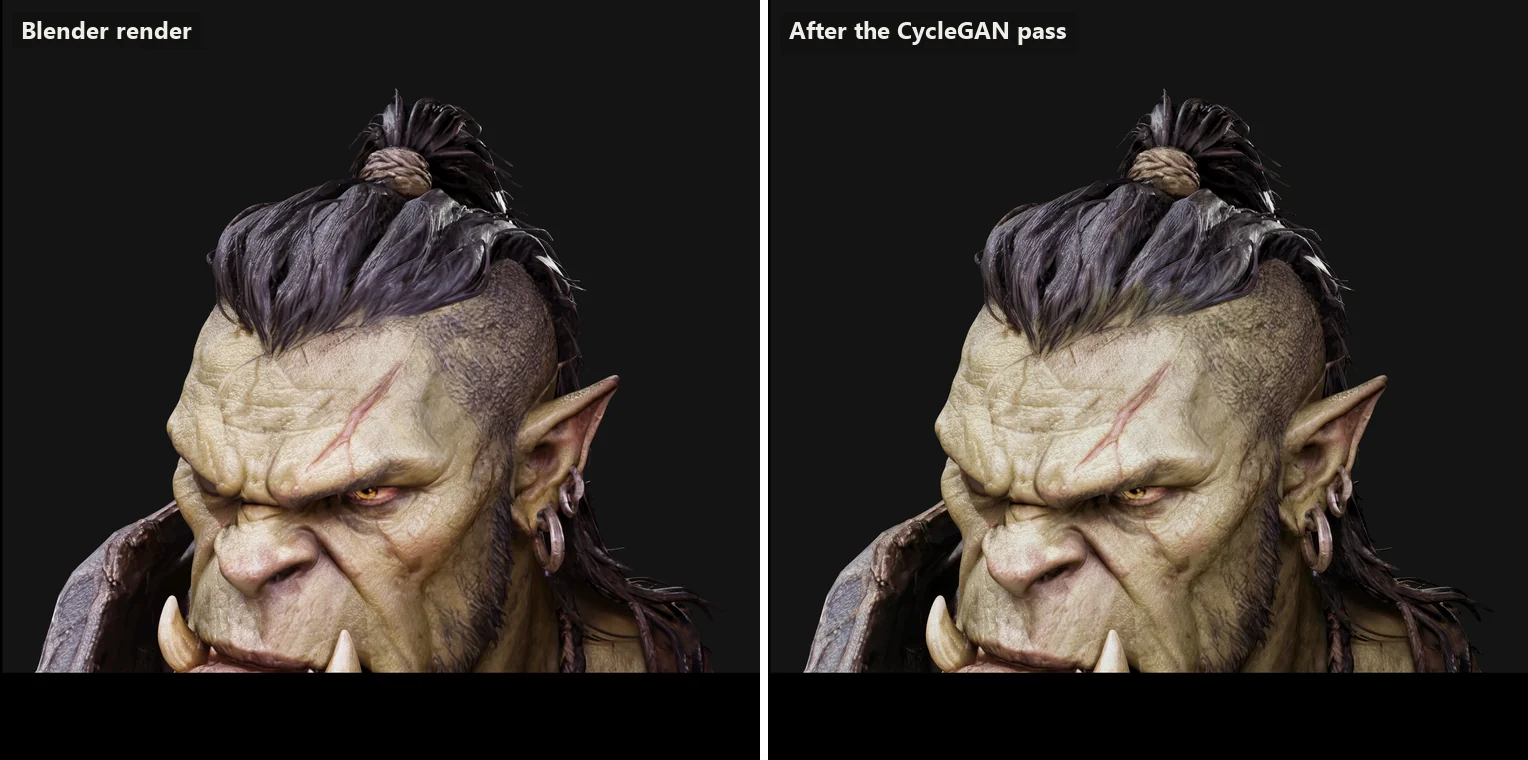
Honest note: the pass is not perfect. The dark shoulder plate drifts towards an olive tone, because the network learned a colour bias from the references. With only 16 examples, every quirk in them counts.
Step 3: training the splat
For training I used Brush, an open-source splat trainer that runs on almost any graphics card without the usual CUDA setup. It starts from a rough point cloud taken from the mesh, then spends thousands of steps adding, splitting, moving and recolouring splats until the renders match.
It took a few attempts to get running on a ten-year-old graphics card:
- The live viewer crashed the driver. Watching the training live at full resolution made single GPU tasks take longer than the two seconds Windows allows, so Windows reset the graphics driver. Training without the viewer, at 1440 pixels, fixed it.
- One quality setting crashed the trainer. A perceptual sharpness option made the trainer fail within seconds. I only found it by testing the settings one at a time with short runs.
- Blender held the memory. With the heavy scene still open in Blender, there was not enough graphics memory left for the 300 training images.
Once running, the splat grew to 673,000 splats and stopped improving after about 22,500 steps, roughly 45 minutes. For the web I removed nearly invisible splats and stray specks outside the model, kept the 450,000 that matter most and stored them in a compact format. The pruned version actually scored slightly better against the training views, because most of what was removed was haze.
The biggest lesson: for splats, consistency between views matters more than how good any single view looks. The 3D model guarantees consistent shapes and cameras. Anything that changes the images, like the CycleGAN pass, has to change every view the same way, or the splat averages the disagreement into softness.
Why this matters
A Gaussian splat is one of the most convincing ways to put a real-looking 3D object on a web page today. The usual route needs a physical object, a lot of careful photos and some luck with camera estimation. This route needs a 3D model, which can come from a scan, a designer or, as here, an AI generator, and it gives you exact cameras for free.
That opens the door for product pages, configurators and campaign pages where the object should look real, rotate smoothly and load fast. It is the same idea that runs through all my 3D visualization work: let 3D control shape and consistency, and use AI where it adds realism, not where it would guess. For the trade-off between the two approaches, see 3D renders vs product photography.
Frequently asked questions
What is a Gaussian splat?
A Gaussian splat represents a scene as hundreds of thousands of small, soft, coloured blobs in 3D instead of polygons and textures. A training process adjusts their position, size, colour and transparency until they reproduce a set of photos or renders from every angle. The result renders in real time, including in a web browser.
Why render views in Blender instead of photographing something?
With synthetic renders you know the exact position of every camera, so the splat trainer does not have to estimate them from the images, which is where photo-based splats often go wrong. You also get perfect lighting consistency, no motion blur and a clean transparent background.
How big is the splat and does it work on phones?
The version on this page has 450,000 splats in a 14.4 MB file. That loads in a few seconds on a normal connection and renders on most phones from the last few years. The raw training output had 673,000 splats and was 152 MB, so it was pruned and stored in a compact web format first.
Why add a CycleGAN pass before training the splat?
The CycleGAN was trained to push the look of the 3D renders towards a set of realistic AI reference images. Running every training view through it before splatting moves the whole splat towards that look, while the 3D model keeps the shape and the camera positions exact.
What hardware did this need?
Everything ran on one PC with a GeForce GTX 1070, an 8 GB graphics card from 2016. Rendering the 300 views took under half an hour, the CycleGAN about 45 minutes and the splat about 45 minutes until it stopped improving.